AIVC-16CH AI BOX
 32CH CSN AI NVR
 2K HDMI Video Codec
 2K DVI Video Codec
 2K SDI Video Codec
 2K HDMI Video Encoder
 2K DVI Video Encoder
 2K SDI Video Encoder
 2K VGA Video Encoder
 2K Video Wall Decoder (HDMI+DVI)
 4K HDMI Video Encoder
 4K HDMI Video Decoder
 4K HDMI Video Wall Decoder
 4K HDMI + DVI Video Wall Decoder
 4K HDMI Dual Channel Codec
 8K HDMI Decoder
 2K KVM Encoder - HDMI
 2K KVM Encoder - DVI
 2K KVM Encoder - SDI
 2K KVM Encoder - DVI-I(VGA)
 2K KVM Decoder - HDMI
 4K KVM Encoder - HDMI + DP
 4K@60 KVM Encoder - HDMI
 4K KVM Encoder - HDMI + HDMI
 4K KVM Encoder - HDMI
 4K KVM Decoder - HDMI
 4K60 4:4:4 KVM Encoder - HDMI
 4K60 4:4:4 KVM Decoder-HDMI
 4K60 4:4:4 KVM Encoder - HDMI + SDI
 4K60 4:4:4 KVM Decoder - HDMI + SDI
 5K KVM Decoder - HDMI +DP
 Phinx-36 Ports Fiber KVM Matrix
 Phinx-72 Ports Fiber KVM Matrix
 Phinx-144 Ports Fiber KVM Matrix
 Phinx-288 Ports Fiber KVM Matrix
 Phinx-576 Ports Fiber KVM Matrix
 Phinx - I/O SFP Module Card
 Phinx - Video Wall Control Card
 Phinx- Video Wall & SFP Card
 Phinx- Video Card(6IN6OUT)
 2K Video Wall Matrix - 8x8
 2K Video Wall Matrix - 16x16
 2K Video Wall Matrix - 32x32
 2K Video Wall Matrix - 72x72
 2K Video Wall Matrix - 144x144
 4K Video Matrix Switcher - 8x8
 4K Video Matrix Switcher - 36x36
 4K Video Matrix Switcher - 72x72
 4K Video Matrix Switcher - 144x144
 Mixing UHD - 4K HDBT Extender
 Mixing UHD - 4K Fiber Extender
 Rack Mounting Kit
 Wall Mounting Kit


 EN
EN
 es
es  th
th
Blog
Join us
FAQs

 4K KVM Transmitter-HDMI
 4K KVM Transmitter-HDMI+HDMI LOOP
 4K KVM Transmitter-DVI
 4K KVM Transmitter-DVI+DVI LOOP
 4K60 KVM Transmitter - HDMI
 2K KVM Transmitter-VGA
 4K KVM Receiver-HDMI
 4K KVM Receiver-DVI
 Quad-view KVM Receiver-HDMI
 4K60 KVM Receiver - HDMI
 4K60 Quad-view KVM Receiver
 2K KVM Receiver-HDMI
 2K KVM Receiver-DVI
 2K KVM Receiver-VGA
 Mixing HD-2K HDMI Input Card
 Mixing HD-2K DVI Input Card
 Mixing HD-2K SDI Input Card
 Mixing HD-2K VGA Input Card
 Mixing HD-2K AV Input Card
 Mixing HD-HDMI UHD Input Card
 Mixing HD-Fiber Input Card
 Mixing HD-IP Input Card
 Mixing HD-HDMI Output Card
 Mixing HD-DVI Output Card
 Mixing HD-SDI Output Card
 Mixing HD-VGA Output Card
 Mixing HD-AV Output Card
 Mixing HD-Fiber Output Card
 Mixing HD-IP Output Card
Mixing HD-HDMI Video Wall Control Card (2 channel)
Mixing HD-IP Output Card
Mixing HD-HDMI Video Wall Control Card (2 channel)
 Mixing HD-HDMI Video Wall Control Card (1 channel)
 Mixing HD-DVI Video Wall Control Card (2 channel)
 Mixing HD-DVI Video Wall Control Card (1 channel)
 Mixing UHD - HDMI Input Card
 Mixing UHD - DVI Input Card
 Mixing UHD - SDI Input Card
 Mixing UHD - VGA Input Card
 Mixing UHD - AV Input Card
 Mixing UHD - HDBT Input Card
 Mixing UHD - Fiber Input Card
 Mixing UHD - HDBT Output Card
 Mixing UHD - HDMI Output Card
 Mixing UHD - DVI Output Card
 Mixing UHD - SDI Output Card
 Mixing UHD - VGA Output Card
 Mixing UHD - AV Output Card
 Mixing UHD - Fiber Output Card
AVCiT's CSN AI NVR is a network video recorder with on-device AI that records, analyses and searches IP camera feeds in a single system. Instead of scrubbing channels by timestamp, an operator describes a person, vehicle or activity in plain language — or uploads a reference image — and the system returns matching footage across every connected camera at once. Retrieval completes in under 500 ms even against million-frame libraries.
A traditional NVR retrieves footage by camera channel and timestamp. An AI NVR indexes the content of the footage, so it can be retrieved by description.
A partial witness account - a vehicle colour, a garment, a direction of travel - is enough to start a search on the CSN AI NVR.
Search runs across all connected channels simultaneously; no one has to work through the channel list first.
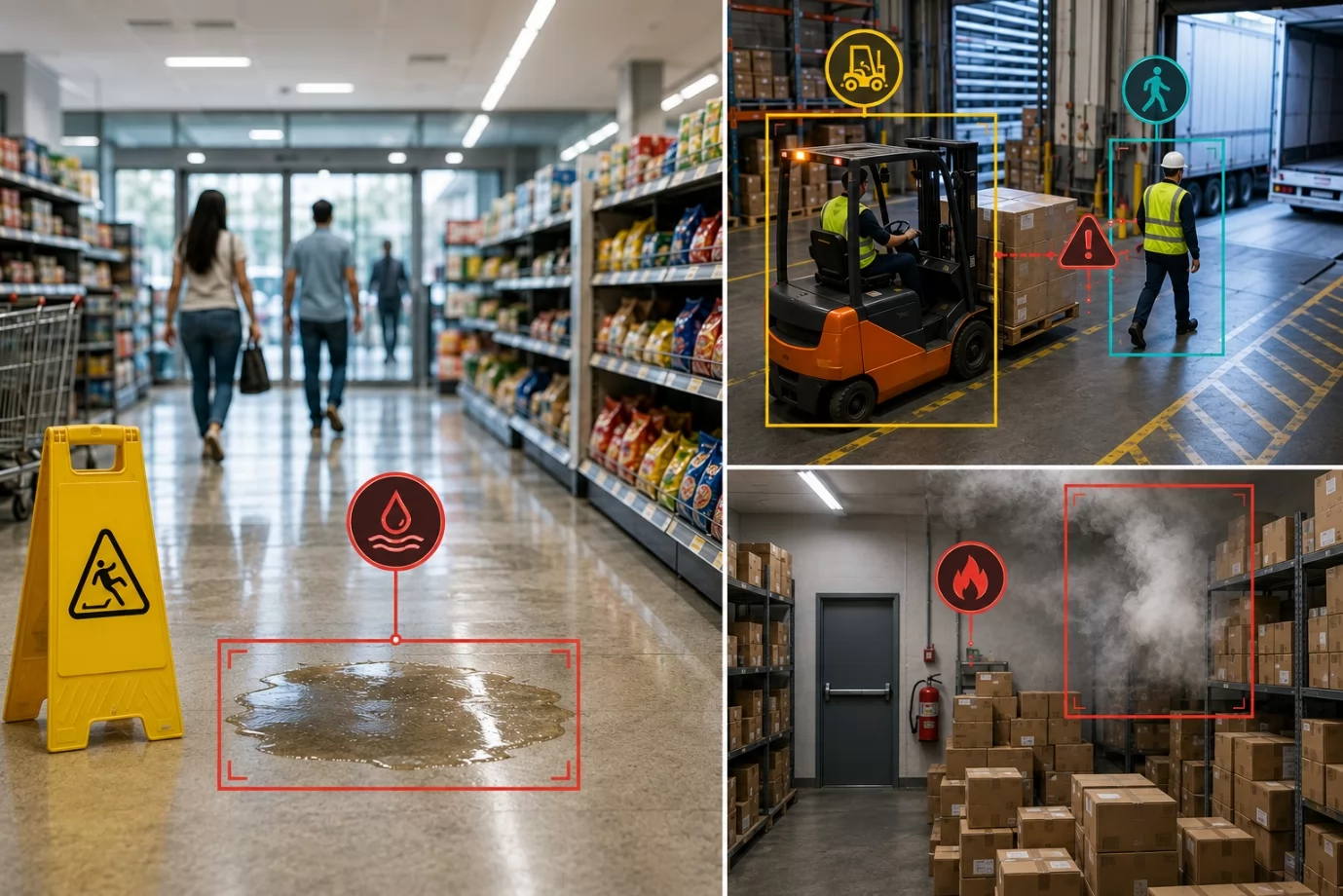
Alerts are event-driven and carry a snapshot, so operators see what triggered them without watching the stream.
Existing IP cameras stay in place. The CSN AI NVR supports common IP camera protocols and indexes cameras added later into the same search.Matched footage exports as MP4 for incident review and authorised evidence sharing.
A traditional NVR stores footage and retrieves it by camera, date and time. An AI NVR also reads the content of the footage, indexing people, vehicles, objects and behaviours so that footage can be retrieved by description. The practical difference is the starting point: a traditional NVR asks which channel and what time, while an AI NVR accepts what a witness actually remembers.
Most incident reports arrive incomplete and fragmented. A witness may remember the colour of a vehicle but not the licence plate. On a traditional NVR that detail is unusable, because the system has no way to translate it into a channel and a timestamp. On the CSN AI NVR, the same detail is a valid search input.
Capability | Traditional NVR | AVCiT CSN AI NVR |
Search input | Camera channel, date and time range | Natural-language description, reference image, event type, object attribute |
What is indexed | Storage location (channel and timestamp) | Video content: people, vehicles, objects, behaviours, attributes |
Cross-camera search | Manual, one channel at a time | One query runs across every connected channel simultaneously |
Typical retrieval time | Minutes to hours of manual scrubbing | Under 500 ms, even at million-frame library scale |
Partial information | Not usable — channel and time required | Usable — a colour, garment or partial account is enough to start |
Alerts | Motion detection, external sensors, or none | Event-driven; defined events flagged as they occur, each with a snapshot image |
Video analytics | None on board; requires a separate server or VMS | On-device AI with 100+ algorithms, assigned per camera group |
Algorithms per channel | Not applicable | 7 to 10 algorithms can run concurrently on a single video channel |
Review playback | Single or limited channel playback | Full-screen and multi-view cycling of original recordings |
Evidence export | Manual trim and export | One-click MP4 export from the matched moment |
Alert notification | Local buzzer or email, if configured | Multi-channel push to WeCom, DingTalk, Feishu, QQ and third-party platforms |
Existing cameras | Depends on protocol; analytics usually requires replacement | Works with common IP camera protocols; existing cameras stay in place |
Scalability | Limited by channel licence and hardware | Channel count is configurable; cameras added later join the same search index |
Operator skill required | Must know camera positions and system layout | Anyone who can type can search; no image-analysis expertise needed |
Step | Traditional NVR | AVCiT CSN AI NVR |
1. Incident is reported | Work out which cameras cover the area | Not required — search is content-based, not location-based |
2. Narrow the time window | Guess a range and scrub manually | Describe the target; the system locates the moment |
3. Check the cameras | Repeat the scrub for every relevant channel | One query covers all channels at once |
4. Confirm the match | Watch and re-watch at speed | Alert snapshot plus a timeline that opens at the matched moment |
5. Build the record | Trim and export clips by hand | Export MP4 from the matched moment in one click |
6. Report to stakeholders | Reconstruct the sequence manually | Footage-backed record, generated as events occur |
The CSN AI NVR is a network video recorder with built-in AI that combines recording, analysis and search for compatible IP camera feeds in one system. Describe a person, vehicle or activity in plain language, or upload a reference image, and the video search runs across every connected camera channel at once. Your team starts with results, and the channel list stops being the first thing anyone has to work through.
Search also accepts partial information. Because the system indexes attributes as well as objects, an operator can search by event type or attribute and begin work from an incomplete account rather than waiting for one to be completed.
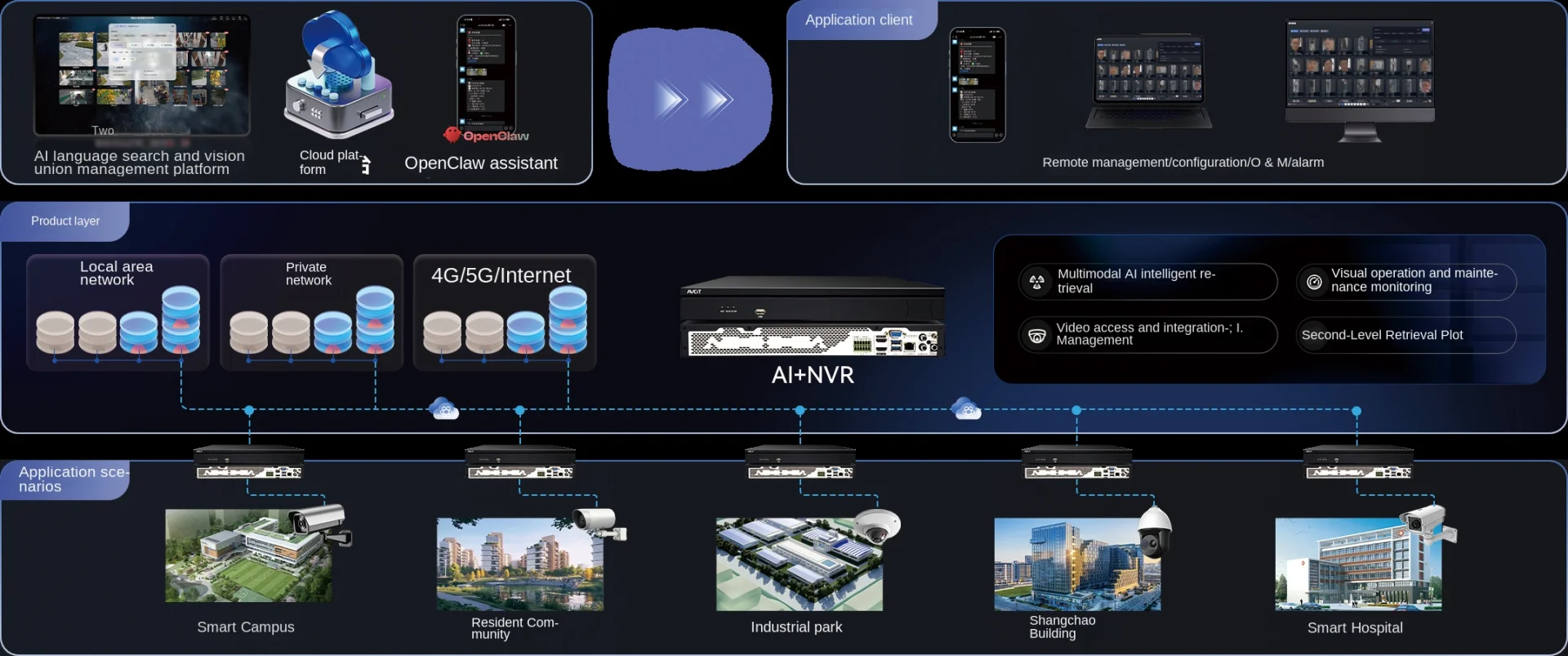
Nothing in this process depends on someone sitting at a screen. The AI NVR captures footage from every connected camera automatically, and alerts flag the events you have defined — such as entry into a restricted area — while they are occurring. Each alert arrives with an image, so your team can see what triggered it without reviewing the stream.
Select a match, whether it came from an alert or a search, and the video timeline opens at that moment, with full-screen and multi-view playback for the review. When the clip shows what you need, export it as MP4 for incident review and authorised evidence sharing, so the people who need it can watch the footage themselves. The record builds itself: your team does not reconstruct what happened after the fact, and the update stakeholders asked for arrives with footage behind it. Adding cameras does not change that.
Yes. Your existing cameras can stay as they are, because the CSN AI NVR supports common IP camera protocols. Compatible cameras come into the same workflow, so the coverage you have already built carries over, and cameras added later join the same search as the site grows.
From there, you assign video analytics algorithms by camera group. Different parts of a site face different security risks, so each group runs the detection relevant to it, and the alerts your team sees reflect where they are looking.
Item | Specification |
NPU | 72 TOPS at INT4, or 18 TOPS at INT8 |
CPU | Octa-core Cortex-A55, up to 1.7 GHz |
Memory | LPDDR4X, 8 GB or 16 GB |
Built-in storage | 64 GB eMMC |
Disk | 2 slots, up to 20 TB each; expandable to 4 slots |
Video output | HDMI out x1 |
Network | RJ45 x1 |
Power | DC 12 V/4 A, under 15 W excluding hard disk |
Dimensions | 220 x 140 x 38 mm |
Installation | Rack mount |
Typical applications | Smart construction site, smart mining, smart city, traffic management, secure community, shopping mall, smart factory |
1. What is an AI NVR?
An AI NVR is a network video recorder with on-device artificial intelligence. It performs the recording and storage functions of a conventional NVR and adds content analysis, so recorded footage is indexed by what appears in it rather than only by when it was captured.
2. How is an AI NVR different from a traditional NVR?
A traditional NVR retrieves footage by camera channel and timestamp. An AI NVR indexes the content of the footage — people, vehicles, objects, behaviours and attributes — so it can be retrieved by description. The AI NVR also generates alerts from defined events, which a traditional NVR cannot do without external analytics.
3. How fast is the search?
AVCiT reports retrieval response under 500 ms, including against libraries at million-frame scale. The system converts text and images into feature vectors, so a query is matched rather than scanned frame by frame.
4. Can I keep my existing cameras?
Yes. The CSN AI NVR supports common IP camera protocols, so existing cameras continue to work and are brought into the same search index. Analytics algorithms are then assigned per camera group.
5. What happens when the site grows?
Coverage grows with the site: more buildings and entrances mean more cameras, and more cameras mean longer searches across areas and time periods. On the CSN AI NVR, cameras added later join the same search, so the time to locate footage does not scale with the channel count.
6. Can the exported footage be used as evidence?
Matched clips export as MP4 for incident review and authorised evidence sharing. Because each alert and match is tied to a specific moment in the recording, the exported clip carries its own timestamp context.
AVCiT can look at your current camera setup and your review process with you, and show where the CSN AI NVR would fit. Contact AVCiT today to start the conversation.
LinkedIn: AVCiT Technology
Facebook: AVCiT Technology