AIVC-16CH AI BOX
 32CH CSN AI NVR
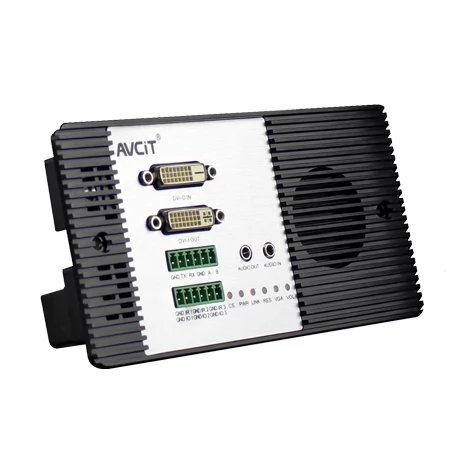
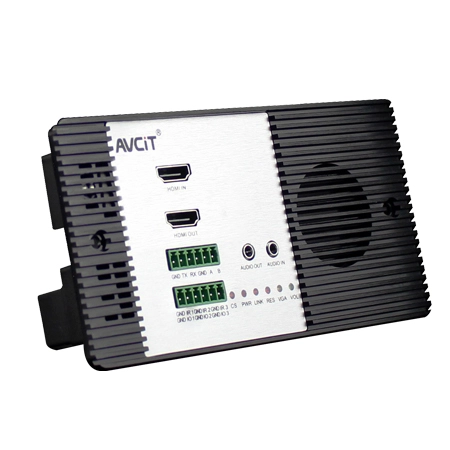
 2K HDMI Video Codec
 2K DVI Video Codec
 2K SDI Video Codec
 2K HDMI Video Encoder
 2K DVI Video Encoder
 2K SDI Video Encoder
 2K VGA Video Encoder
 2K Video Wall Decoder (HDMI+DVI)
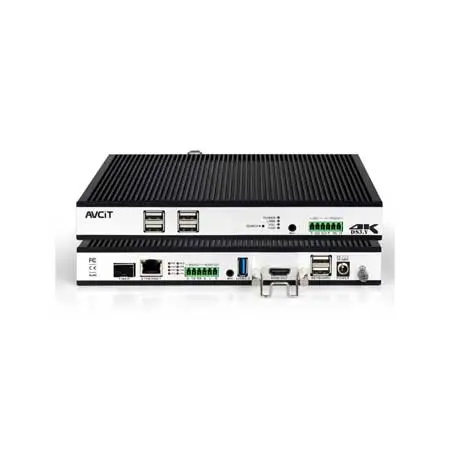
 4K HDMI Video Encoder
 4K HDMI Video Decoder
 4K HDMI Video Wall Decoder
 4K HDMI + DVI Video Wall Decoder
 4K HDMI Dual Channel Codec
 8K HDMI Decoder
 2K KVM Encoder - HDMI
 2K KVM Encoder - DVI
 2K KVM Encoder - SDI
 2K KVM Encoder - DVI-I(VGA)
 2K KVM Decoder - HDMI
 4K KVM Encoder - HDMI + DP
 4K@60 KVM Encoder - HDMI
 4K KVM Encoder - HDMI + HDMI
 4K KVM Encoder - HDMI
 4K KVM Decoder - HDMI
 4K60 4:4:4 KVM Encoder - HDMI
 4K60 4:4:4 KVM Decoder-HDMI
 4K60 4:4:4 KVM Encoder - HDMI + SDI
 4K60 4:4:4 KVM Decoder - HDMI + SDI
 5K KVM Decoder - HDMI +DP
 Phinx-36 Ports Fiber KVM Matrix
 Phinx-72 Ports Fiber KVM Matrix
 Phinx-144 Ports Fiber KVM Matrix
 Phinx-288 Ports Fiber KVM Matrix
 Phinx-576 Ports Fiber KVM Matrix
 Phinx - I/O SFP Module Card
 Phinx - Video Wall Control Card
 Phinx- Video Wall & SFP Card
 Phinx- Video Card(6IN6OUT)
 2K Video Wall Matrix - 8x8
 2K Video Wall Matrix - 16x16
 2K Video Wall Matrix - 32x32
 2K Video Wall Matrix - 72x72
 2K Video Wall Matrix - 144x144
 4K Video Matrix Switcher - 8x8
 4K Video Matrix Switcher - 36x36
 4K Video Matrix Switcher - 72x72
 4K Video Matrix Switcher - 144x144
 Mixing UHD - 4K HDBT Extender
 Mixing UHD - 4K Fiber Extender
 Rack Mounting Kit
 Wall Mounting Kit


 EN
EN
 es
es  th
th
Blog
Join us
FAQs

 4K KVM Transmitter-HDMI
 4K KVM Transmitter-HDMI+HDMI LOOP
 4K KVM Transmitter-DVI
 4K KVM Transmitter-DVI+DVI LOOP
 4K60 KVM Transmitter - HDMI
 2K KVM Transmitter-VGA
 4K KVM Receiver-HDMI
 4K KVM Receiver-DVI
 Quad-view KVM Receiver-HDMI
 4K60 KVM Receiver - HDMI
 4K60 Quad-view KVM Receiver
 2K KVM Receiver-HDMI
 2K KVM Receiver-DVI
 2K KVM Receiver-VGA
 Mixing HD-2K HDMI Input Card
 Mixing HD-2K DVI Input Card
 Mixing HD-2K SDI Input Card
 Mixing HD-2K VGA Input Card
 Mixing HD-2K AV Input Card
 Mixing HD-HDMI UHD Input Card
 Mixing HD-Fiber Input Card
 Mixing HD-IP Input Card
 Mixing HD-HDMI Output Card
 Mixing HD-DVI Output Card
 Mixing HD-SDI Output Card
 Mixing HD-VGA Output Card
 Mixing HD-AV Output Card
 Mixing HD-Fiber Output Card
 Mixing HD-IP Output Card
Mixing HD-HDMI Video Wall Control Card (2 channel)
Mixing HD-IP Output Card
Mixing HD-HDMI Video Wall Control Card (2 channel)
 Mixing HD-HDMI Video Wall Control Card (1 channel)
 Mixing HD-DVI Video Wall Control Card (2 channel)
 Mixing HD-DVI Video Wall Control Card (1 channel)
 Mixing UHD - HDMI Input Card
 Mixing UHD - DVI Input Card
 Mixing UHD - SDI Input Card
 Mixing UHD - VGA Input Card
 Mixing UHD - AV Input Card
 Mixing UHD - HDBT Input Card
 Mixing UHD - Fiber Input Card
 Mixing UHD - HDBT Output Card
 Mixing UHD - HDMI Output Card
 Mixing UHD - DVI Output Card
 Mixing UHD - SDI Output Card
 Mixing UHD - VGA Output Card
 Mixing UHD - AV Output Card
 Mixing UHD - Fiber Output Card
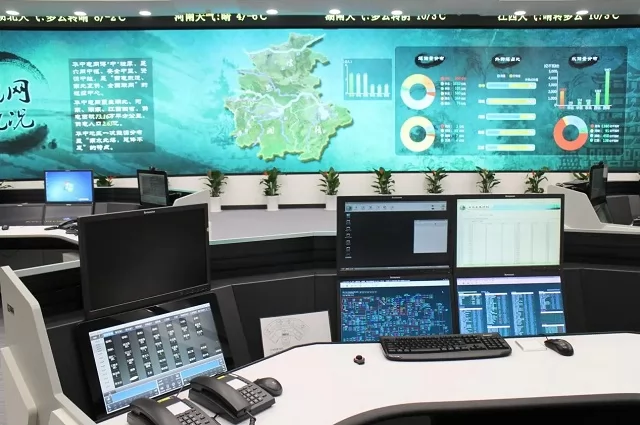
Control rooms usually expand in response to operational change. As sites, camera networks and monitoring requirements grow, teams add displays, dashboards and platforms to support the new workload.
Each addition serves a specific purpose. Over time, however, information becomes spread across separate screens, applications and workstations. Operators may need to remember which display holds a particular camera feed, alarm or system dashboard.
The control room now has access to more data, yet finding the right information can take longer. During an incident, the operator must locate the relevant source before assessing what has happened. This creates delays at the point when the team needs a clear view of the situation.
An important event can be difficult to identify when it appears among dozens of camera feeds, alarms and system notifications. Operators must divide their attention across each source while continuing to manage routine tasks.
Once an event is noticed, staff may still need to gather information from several systems. A camera feed may show the visible condition, while an alarm or dashboard provides the related operational data. If these sources are displayed on different workstations, the operator must move between them or compare the information manually.
This slows the initial assessment and makes team coordination more difficult. Staff may be working from separate pieces of information while deciding whether the event needs to be escalated. The additional time can allow an operational issue to develop before the organisation begins its response.
AVCiT's AI Edge Computing Platform adds real-time edge AI video analytics to compatible existing CCTV cameras. Selected feeds can monitor for defined events such as intrusion, fire, smoke and PPE non-compliance.
When the platform detects one of these events, it brings the relevant feed to the operator’s attention. Staff can focus on footage that requires review instead of continuously scanning every camera across the control room.
This gives CCTV a more active role in control room monitoring. Camera feeds continue to provide visual coverage while also generating operational alerts when a defined condition appears. Operators can then review the event and determine whether further action is required.
An alert provides greater value when the operator can view it beside the information needed to understand the event. The relevant camera feed, system alarm and operational dashboard may each show a different part of what is happening.
AVCiT's Video Wall Controller allows teams to arrange these sources on a shared control room display. Operators can place related content together and enlarge the most important source as an incident develops.
This shared view gives the control-room team a consistent visual reference. Staff can compare the available information and coordinate their response without relying on updates gathered from separate screens. It also helps supervisors and operators maintain the same understanding of the event as conditions change.
After reviewing an event, the operator may need to access the system used to manage the response. This can become difficult when monitoring and control applications run on separate computers across the room.
AVCiT's KVM over IP system allows authorised staff to control multiple computers from a single workstation. Operators can move between monitoring and response systems without changing desks or using separate keyboards and mice for each computer.
Direct system access keeps the operator focused on the incident and reduces unnecessary movement around the control room. It also helps teams maintain a manageable workspace while retaining access to the computers behind the camera feeds, dashboards and operational data on display.
Additional displays can increase the amount of information available to operators. Their value depends on how quickly staff can identify an important event, understand its context and reach the system needed to respond.
Effective control room visibility brings these functions together. Edge AI video analytics directs attention to defined events, video wall control places related information in a shared view, and KVM over IP gives operators direct access to the relevant systems.
By connecting detection, visualisation and system access, AVCiT helps organisations improve situational awareness and control-room response while continuing to use compatible infrastructure already in place.
Contact the AVCiT team to discuss how AI video analytics, video wall control and KVM over IP could support your control room operations.
LinkedIn: AVCiT Technology
Facebook: AVCiT Technology